-
-
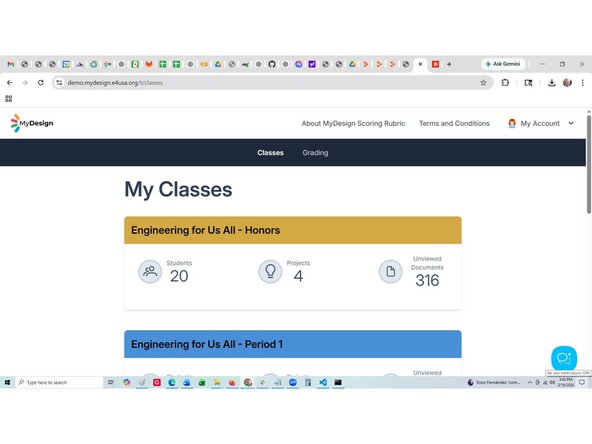
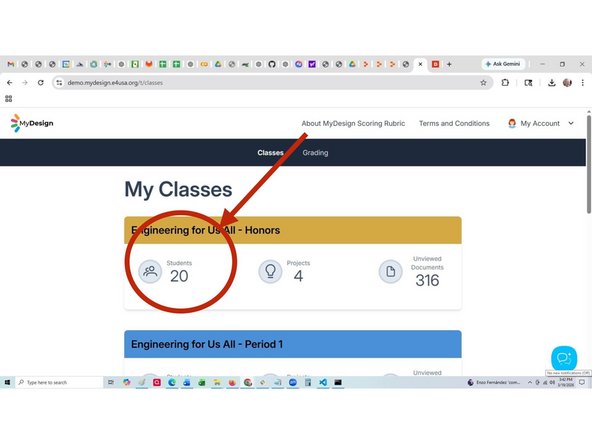
Select anywhere within the desired Class card
-
-
-
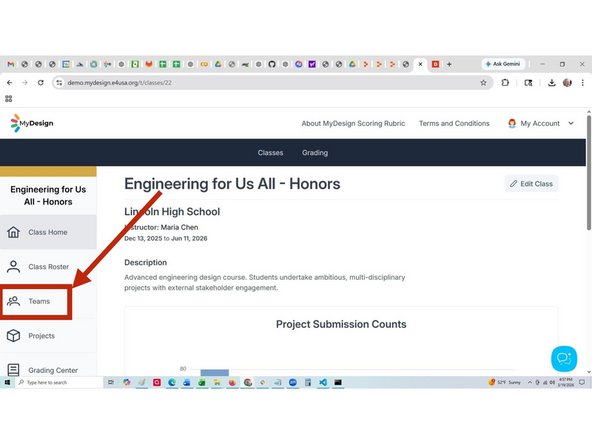
Select Teams
-
-
-
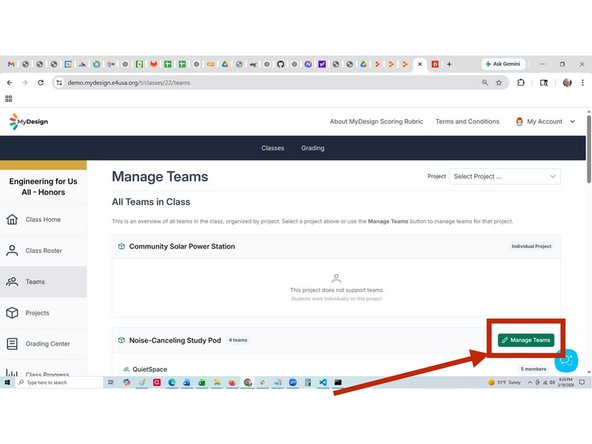
Select Manage Teams
-
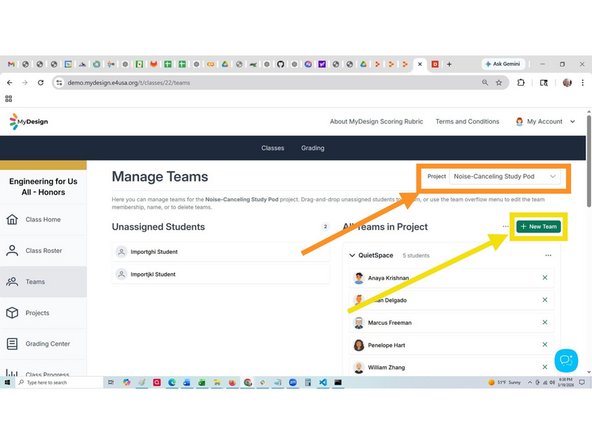
Select "Unit 2 Water Filter" from Select Project ... list
-
Select + New Team
-
-
-
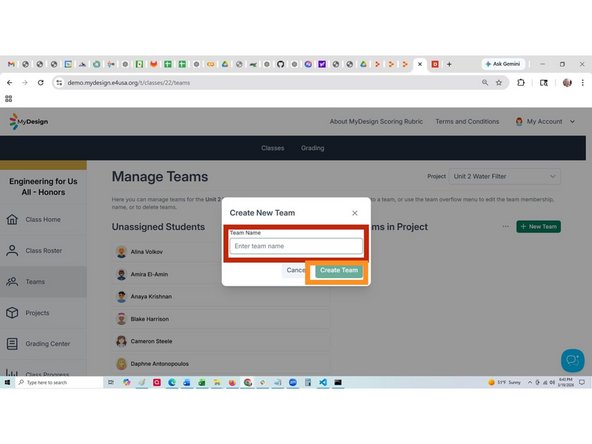
Enter new Team name: Campers
-
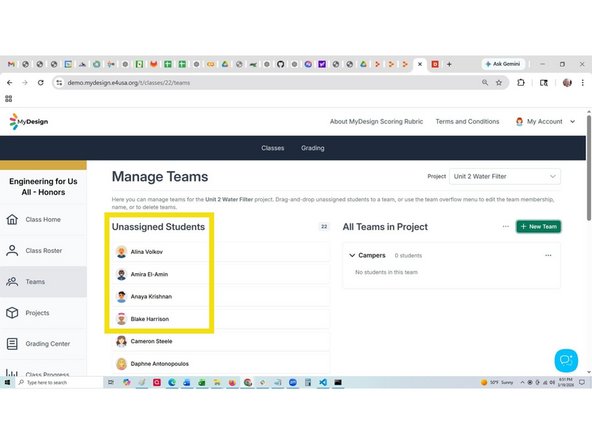
Select Create Team from the list of available students
-
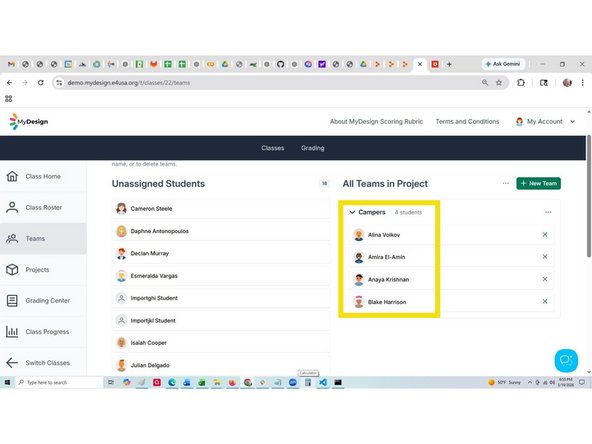
Drag and drop students into the new team
-
-
-
"Campers" is listed in All teams in Unit 2 Water Filter but is not yet assigned to the project
-
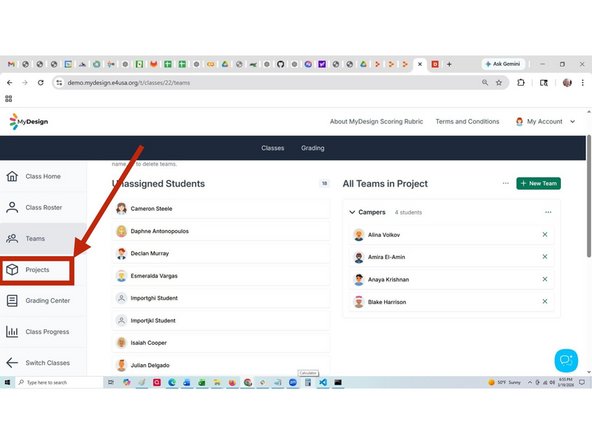
Select Projects to assign team to project
-
-
-
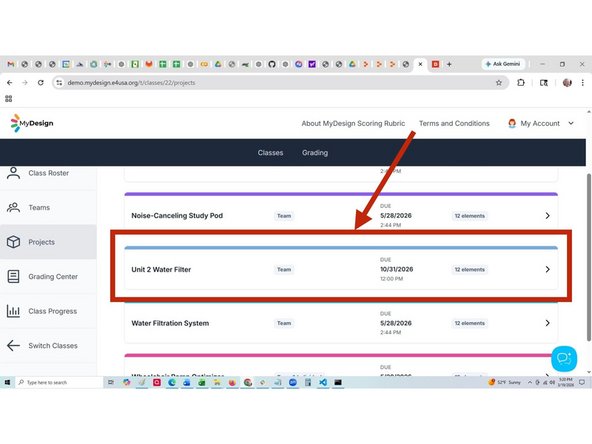
Select anywhere within the project card
-
-
-
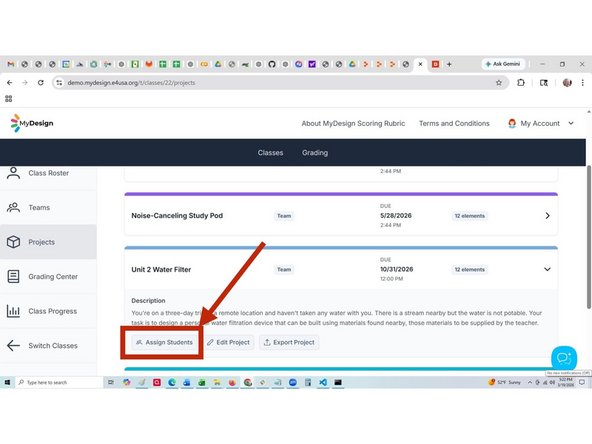
Select Assign Students
-
-
-
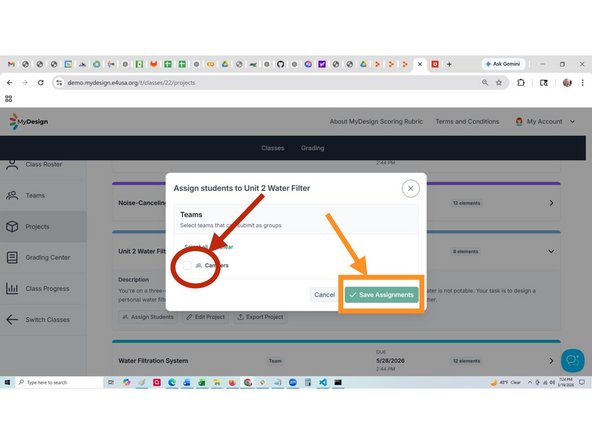
Select "Campers" from list
-
Select Save Assignments
-
Repeat Steps 1 - 9 to create and assign additional teams to the project.
-
Almost done!
Finish Line

Team
