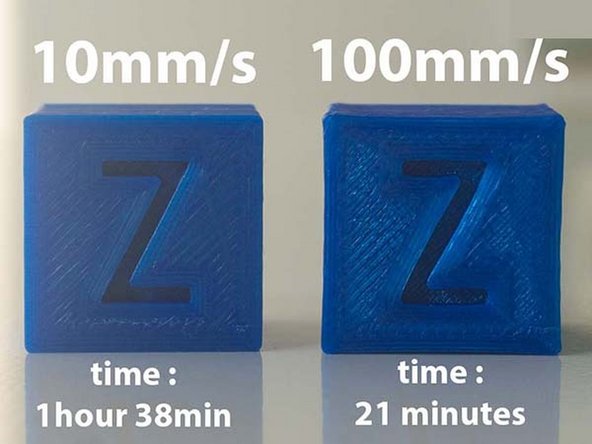
-
-
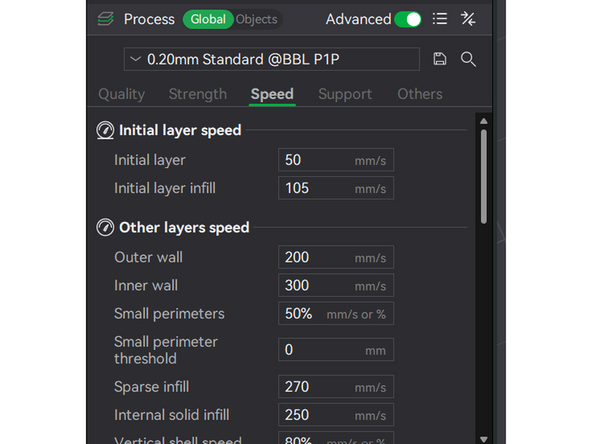
Print speed varies throughout a print. See Picture 1 for the print speeds for the 0.20mm Standard print profile on the P1P. These settings can be found under Global Print Settings / Speed.
-
The fastest speed is Inner Wall at 300 mm/s. These are not visible when the print finishes, and so don't need to look perfect.
-
Support Material, Top Solid Infill, and internal perimeters are all a bit slower, between 40 and 50 mm/s.
-
Bridges, Overhang, and the First Layer are the slowest at around 50 mm/s. Bridges and overhangs are delicate, and the first layer adheres to the bed.
-
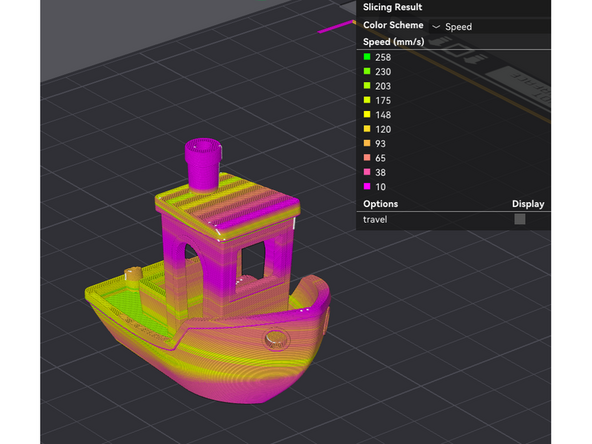
Bambu Slicer offers a Speed preview in sliced view. {Picture 2} The speeds shown in this preview match exactly the ones entered in the settings.
-
There is also an Actual Speed preview that will take into account acceleration. Adjusting the slicer speeds is often a troubleshooting step based off of a print failure, and this can be a useful tool for diagnosis.
-
-
-
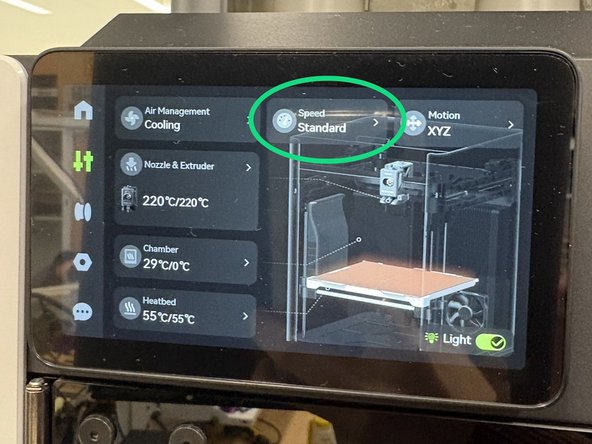
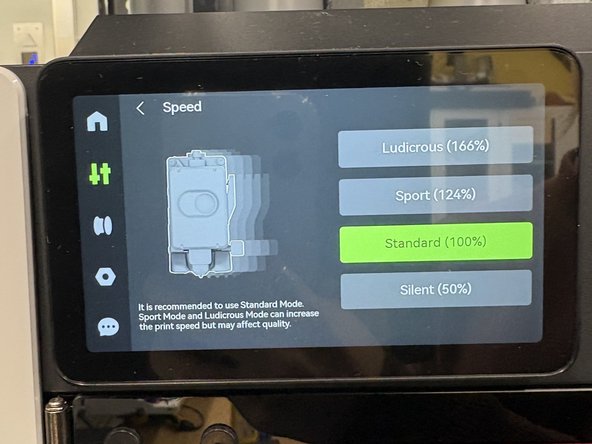
You can adjust the speed of a running printer by using the touchscreen
-
On the home screen, select the "Speed" setting
-
Select the desired speed
-
If a part appears to be struggling mid print, reducing the speed could help it resolve.
-
If the print needs to be completed quickly, upping the print speed will significantly reduce the print time. This can cause issues though, so it is risky.
-
-
-
Slice a benchy to print as fast as possible on the Prusa MK3S. One chance, fastest time that passes the quality check wins.
-
All major features included.
-
No visible sagging or curling.
-
This video is of an 11 minute benchy! The fastest in the world is in the range of 1-2 minutes.
-
Cancel: I did not complete this guide.
3 other people completed this guide.

