-
-
You now know how to generate supports in PrusaSlicer, but how do you know whether a model needs supports or not?
-
-
-
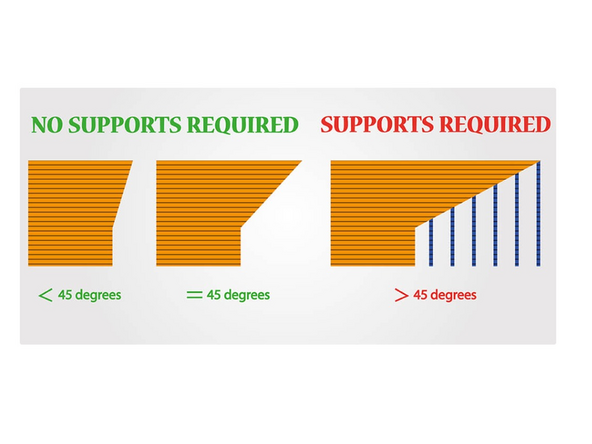
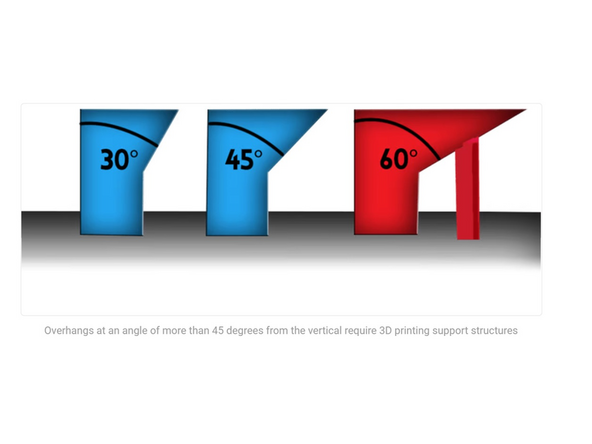
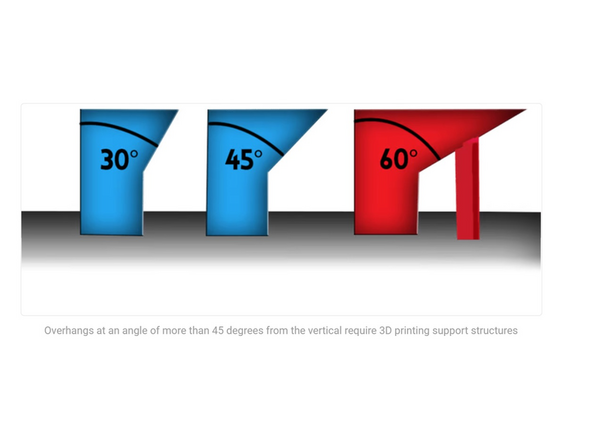
The best rule of thumb for beginners is any feature being less than 45 degrees can be 3D printed at home with no supports at all.
-
This is to ensure each successive layer has enough support to build up on. At 45 degrees, every layer is in about 50% contact with the layer below it and hence prints well.
-
-
-
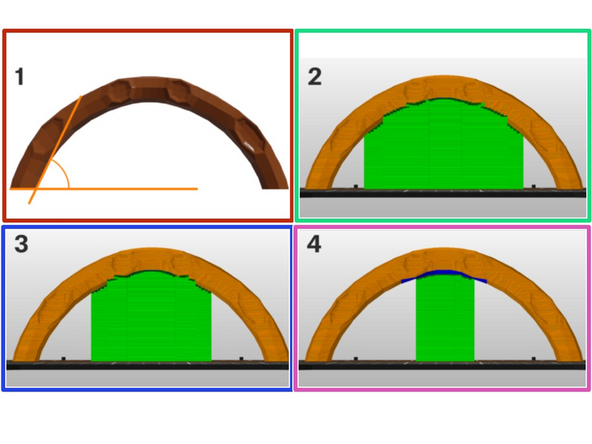
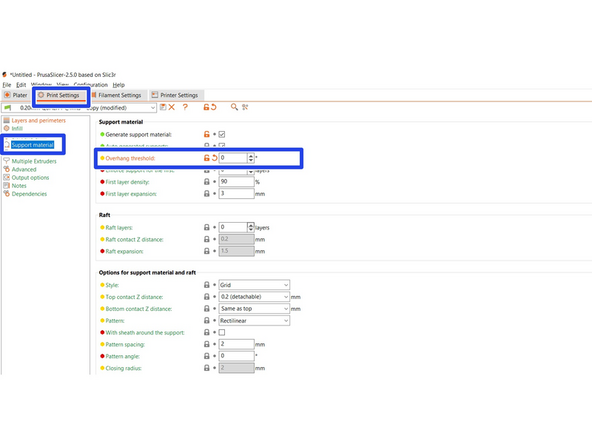
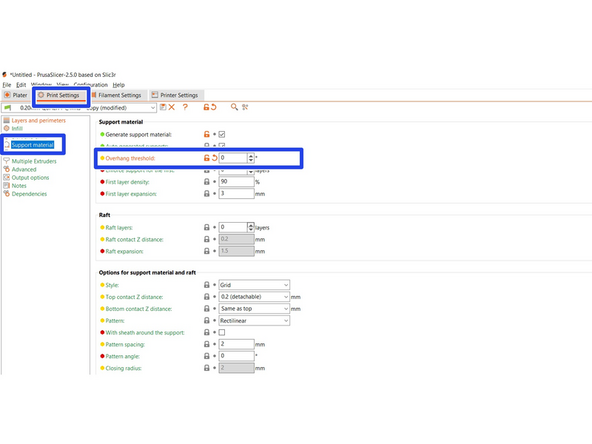
The Overhang threshold value represents the most horizontal slope (measured from the horizontal plane) that you can print without support material (90=vertical).
-
Changing this value is a quick way to adjust the amount of generated supports.
-
The lower the value, the less support will be generated.
-
Select the Print Settings Tab>Support Material>Overhang Threshold
-
(1) The first image demonstrates Overhang threshold value and how it's measured
-
(2) Overhang threshold 55
-
(3) Overhang threshold 35
-
(4) Overhang threshold 15
-
-
-
Bridging is a term for printing layers over thin air without the use of supports.
-
The best results are achieved only over short distances because the printer’s fans need to cool the extruded plastic mid-air in order to create a solid connection.
-
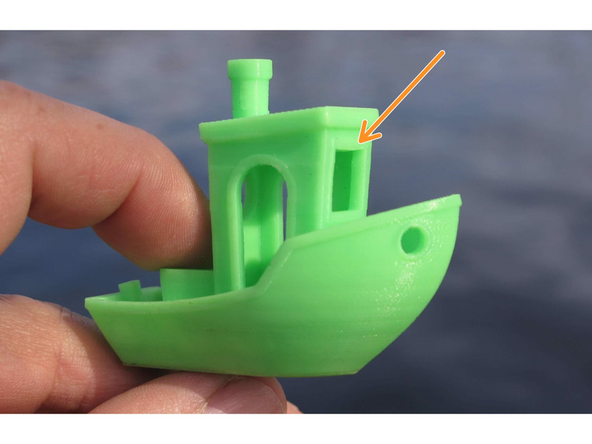
If a bridge is less than 5 mm in length, the printer may be able to print it without requiring 3D printing support structures.
-
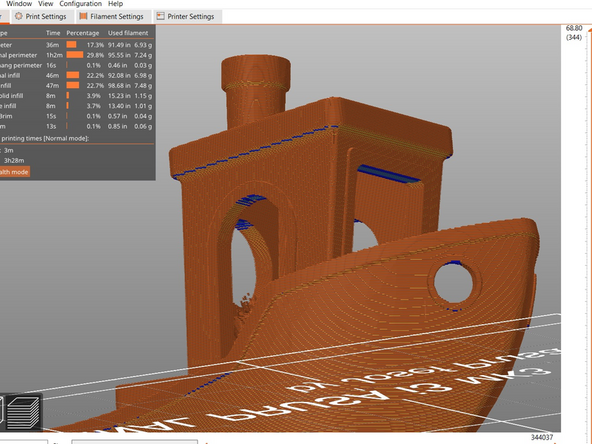
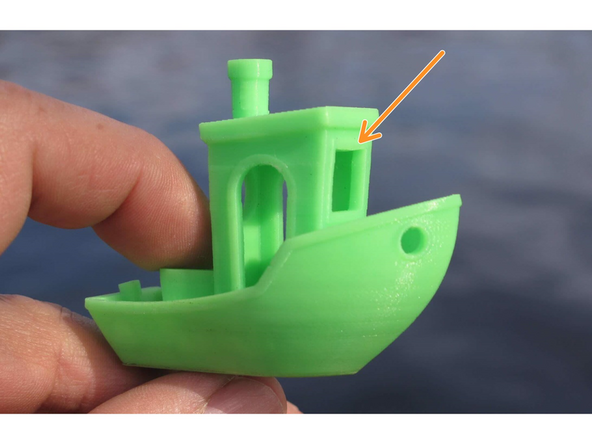
A popular test print, the benchy, consists of a bridging feature that is small enough to successfully print without support
-
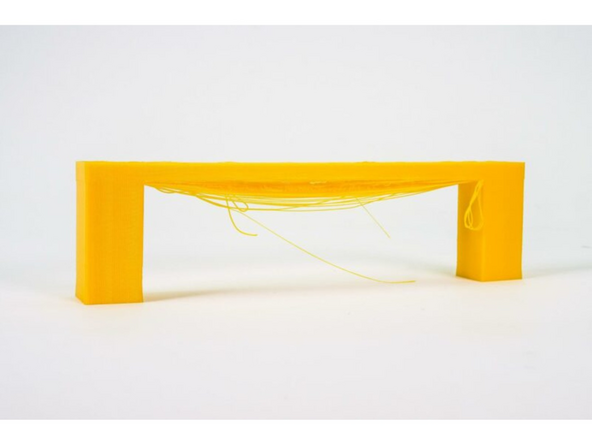
The second picture is an example of a model where support is probably necessary due to the length of bridging. You can see here sagging/drooping is a result
-
-
-
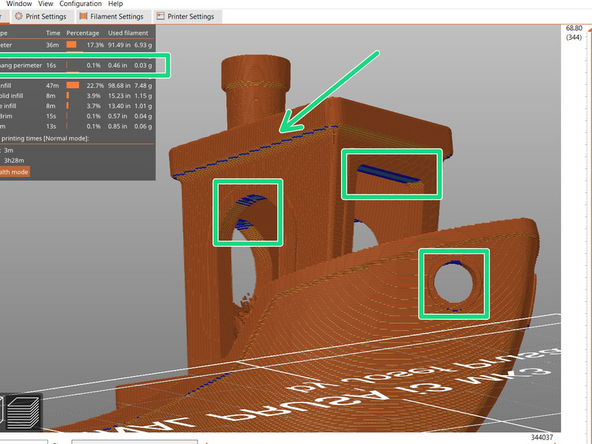
After selecting Slice Now, the blue portions that appear are all places where bridging will occur.
-
Keeping the 5mm rule in mind, assure that the overhangs are appropriate to print without supports.
-
If you determine the 5mm rule will not work, and sagging will occur, then supports will be necessary
-
-
-
The best rule of thumb for beginners is any feature being less than 45 degrees can be 3D printed at home with no supports at all.
-
If a bridge is less than 5 mm in length, the printer may be able to print it without requiring 3D printing support structures.
-
The Overhang threshold value represents the most horizontal slope (measured from the horizontal plane) that you can print without support material (90=vertical).
-
Changing this value is a quick way to adjust the amount of generated supports. The lower the value, the less support will be generated.
-
-
-
Download each of the models from this folder. Write down an answer to each models question. Your mentor will review your answers once complete. Feel free to open the models in PrusaSlicer, examine them, slice them, and test out different supports to assist you in answering the question.
-
Cable Clip: Does this model need support? Why or why not?
-
Simple Cup: How would you orient this model to minimize support?
-
Bird Whistle: Which support generation options are more appropriate for this model? Why?
-
‘Everywhere’ or ‘Build Plate Only’
-
‘Standard’ or ‘Organic’
-
Dolphin: Which type of supports are better suited to this model, Standard or Organic?
-
Spiderman: Try generating both standard or organic supports, and then use the Paint On support tool and/or Support Enforcers and Blockers to add supports only where you think is necessary. Show your supervisor and talk them through your reasoning.
-

In conclusion, you have learned about best practices to determine whether support material is necessary based on overhang angles and bridging. When you're finished this guide please let a TS know so they can check you off.
In conclusion, you have learned about best practices to determine whether support material is necessary based on overhang angles and bridging. When you're finished this guide please let a TS know so they can check you off.
Cancel: I did not complete this guide.
6 other people completed this guide.

