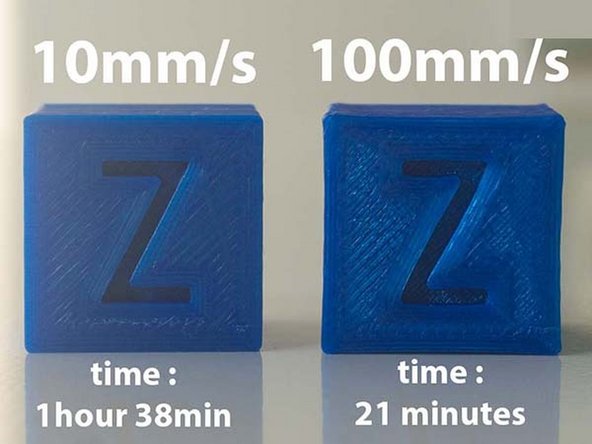
-
-
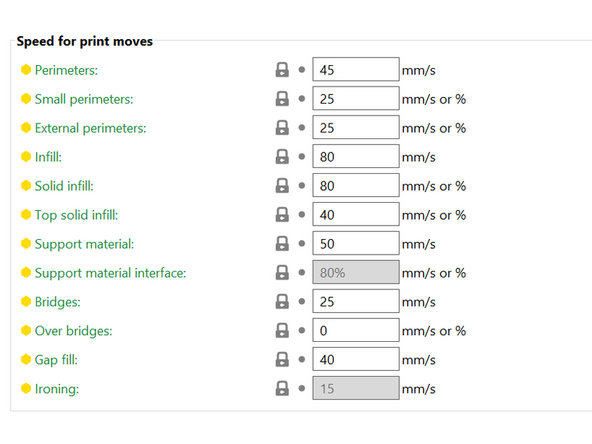
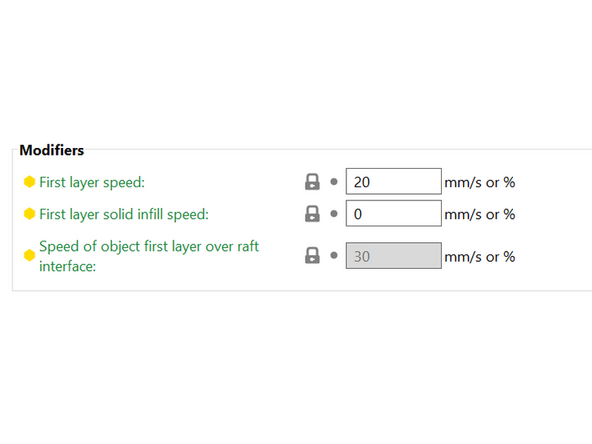
Print speed varies throughout a print. See Picture 1 and Picture 2 for the print speeds for the 0.20 mm Quality print profile for the MK3S. These settings can be found under Print Settings / Speed.
-
The fastest speeds are Infill and Solid Infill at 80 mm/s. Both of these should be non visible when the print finishes, and so don't need to look perfect.
-
Support Material, Top Solid Infill, and internal perimeters are all a bit slower, between 40 and 50 mm/s.
-
Bridges, External Perimeters and the First Layer are the slowest between 20 and 25 mm/s. Bridges are delicate, external perimeters heavily impact the aesthetic of the part, and the first layer adheres to the bed.
-
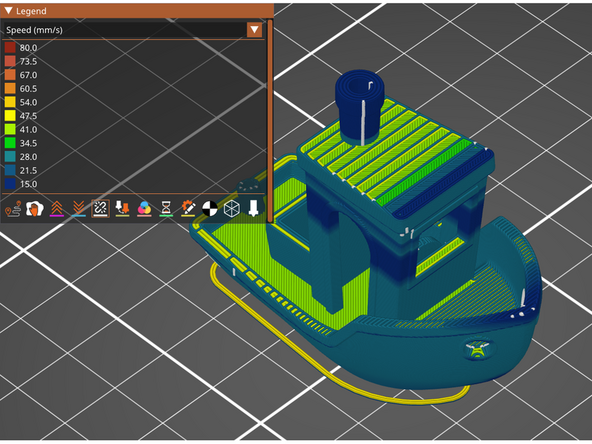
Prusa Slicer offers a Speed preview in sliced view. {Picture 3} The speeds shown in this preview match exactly the ones entered in the settings.
-
There is also an Actual Speed preview that will take into account acceleration. Adjusting the slicer speeds is often a troubleshooting step based off of a print failure, and this can be a useful tool for diagnosis.
-
-
-
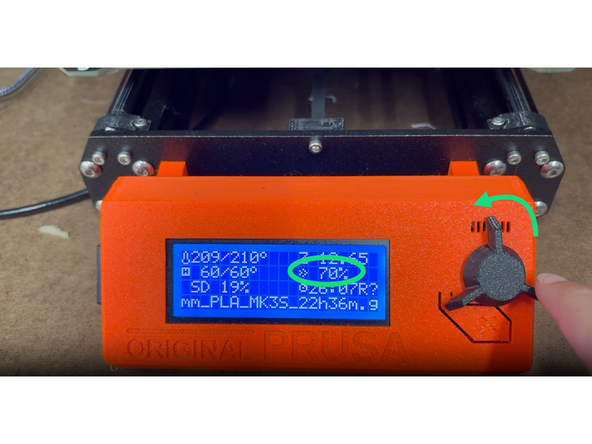
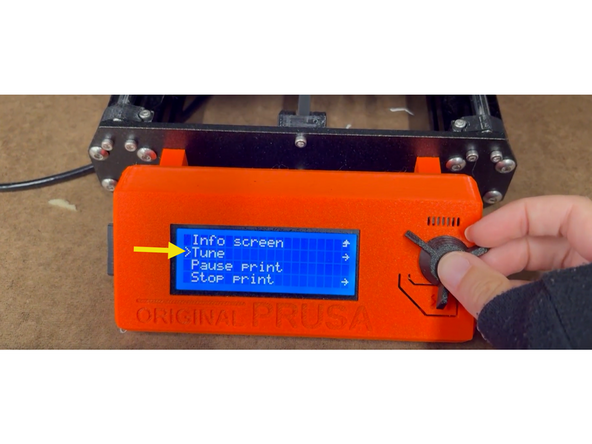
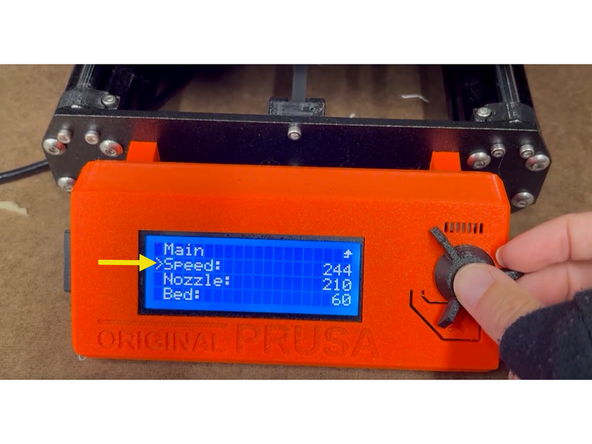
There are two ways to adjust the speed during a print on the Prusa MK3S. Both will apply a percentage change to all speeds.
-
On the home screen in the middle of a print, simply turn the nob to adjust the speed.
-
Alternatively, press the knob in the middle of a print to get from the home screen to the settings screen, select Tune, select Speed, turn the knob to adjust the speed.
-
If a part appears to be struggling mid print, reducing the speed could help it resolve.
-
If the print needs to be completed quickly, upping the print speed to 200% - 300% can significantly reduce the print time. This can cause issues, so it is risky.
-
-
-
Slice a benchy to print as fast as possible on the Prusa MK3S. One chance, fastest time that passes the quality check wins.
-
All major features included.
-
No visible sagging or curling.
-
This video is of an 11 minute benchy! The fastest in the world is in the range of 1-2 minutes.
-
Cancel: I did not complete this guide.
3 other people completed this guide.

